For Aussie tradies · iPhone & iPad

Quote it. Invoice it. Get paid.

Quote on site before you've left the driveway, invoice on the spot, and see who still owes you — with GST and ABN done right. No bloated job-management system. No lock-in.

Free to downloadWorks with no signalNo account neededFree iPhone + iPad sync
How it works

From the driveway to paid, in one app

Built by a tradie who got sick of doing quotes on the kitchen bench at 9pm.

1

Quote on site

Type it or just talk it. Snap photos, record measurements, punch in your trade prices — the app marks the parts up for you. A professional PDF quote with your logo, in minutes.

2

Invoice on the spot

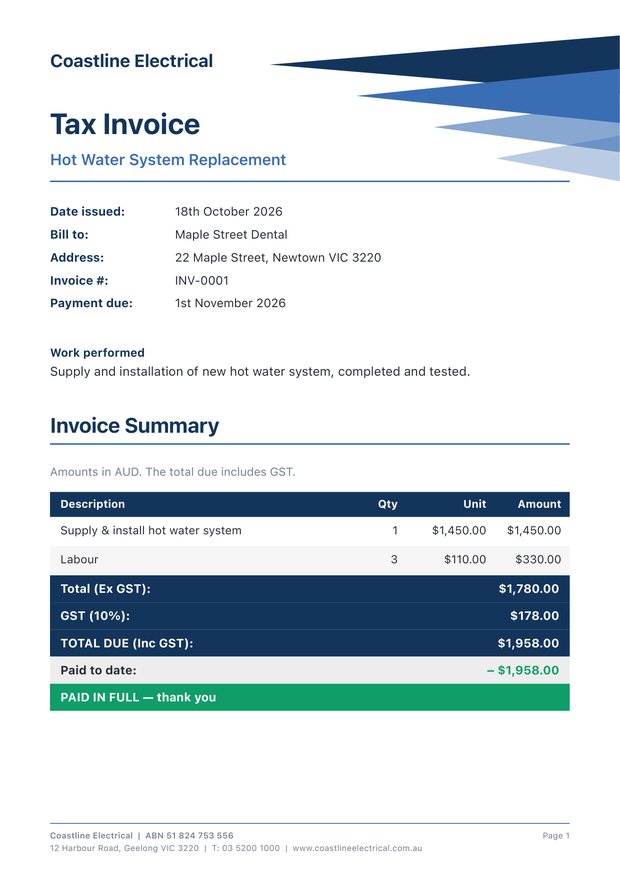
A proper tax invoice with GST, your ABN and bank details. The client can sign on your screen, and a payment due date is set so nothing slips.

3

Get paid & receipt it

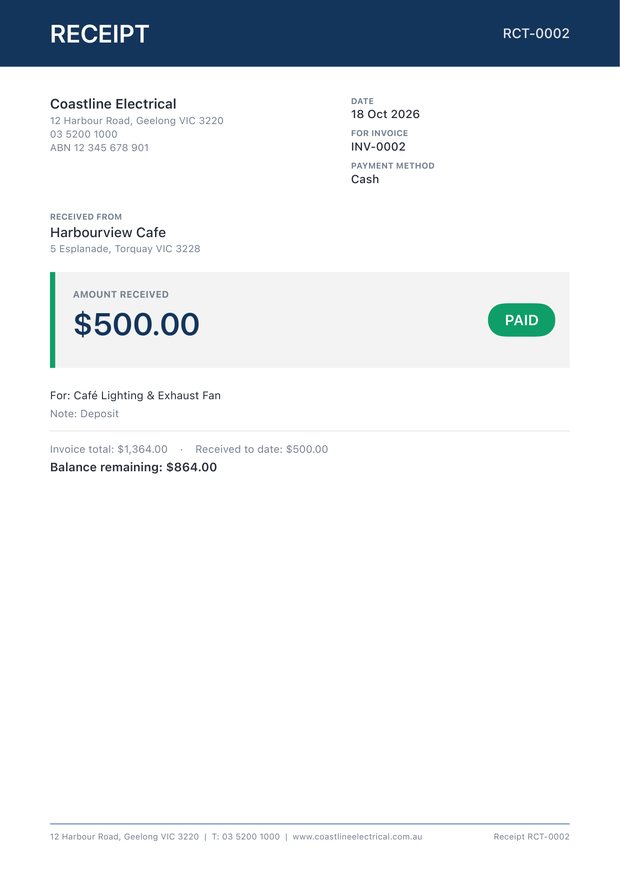
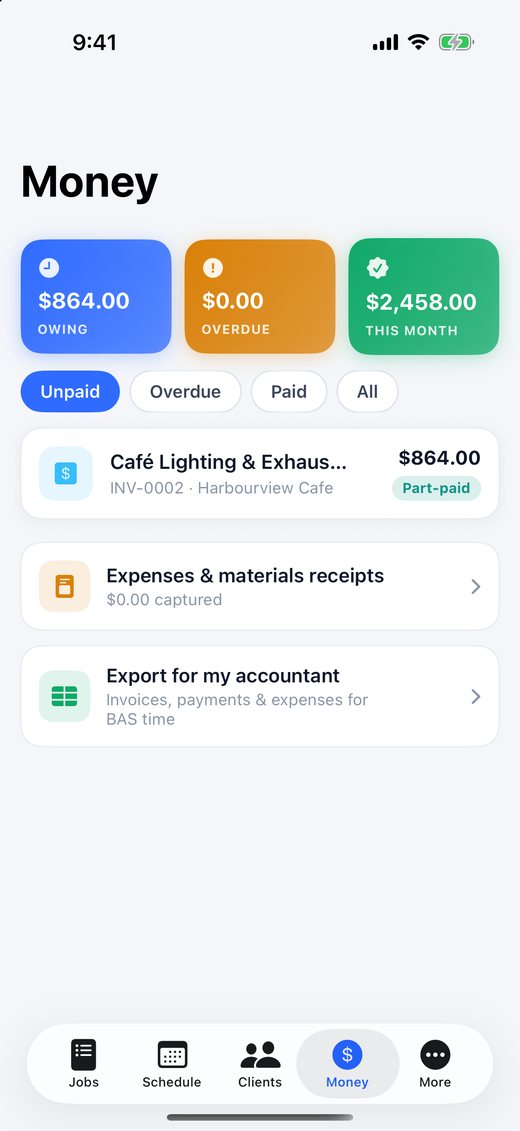
Record full or part payments — bank, cash or card — and send a numbered receipt in one tap. The Money tab shows exactly who owes what.

Features

Everything for the job — nothing you'll never touch

Talk it, don't type it

Dictate job notes and quote descriptions hands-free on site — voice-to-text built in.

GST & ABN done right

Valid tax invoices every time: ABN checked as you type, GST-free lines marked, buyer's name on sales of $1,000+. Not registered? It sends a plain invoice instead.

Smart parts markup

Type the trade price (ex GST) and it marks it up to your sell price using your markup %. Override any line.

Every client in one place

Their jobs, notes, gate codes and exactly what they owe you. Pull details straight from your phone contacts.

Schedule & reminders

Book jobs in and get a reminder before you're due. One tap opens Google Maps directions to the site.

Your look, your logo

Pick your colours and header artwork, put your logo on, and choose which sections show on your documents.

Receipts & files

Snap materials receipts and tag them to jobs. Keep plans, quotes and PDFs in folders, one per job.

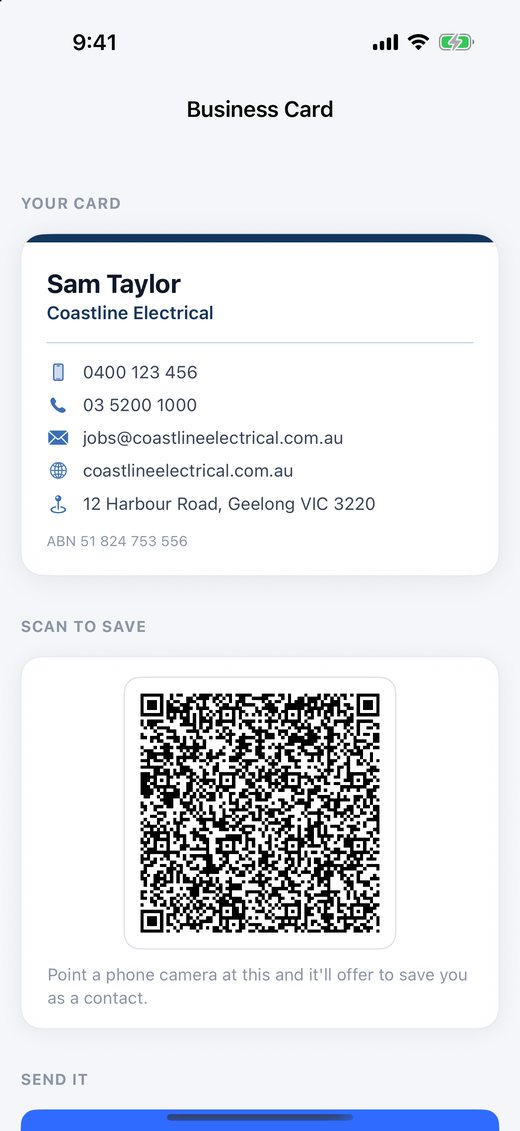
Digital business card

Share your details with a QR code — clients scan it and you're saved straight into their phone.

Free iPhone + iPad sync

Your jobs follow you between devices over iCloud or your own Wi-Fi. Pair with a QR code — no accounts.

Get paid

A proper set of books, not just a quote pad

Invoice out, money in, receipt out — and always know where you stand.

Record payments

Full or part payments, deposits, bank, cash or card. Balances update and invoices mark themselves Paid.

Numbered receipts

Send a professional receipt for every payment, with what's been paid and what's still owing.

The Money tab

What's owing, what's overdue and what came in this month — at a glance, with overdue invoices flagged.

Client signs on screen

Optional sign-off on a quote or invoice, printed on the document with their name and the date.

Deposits that come off the final bill Next update

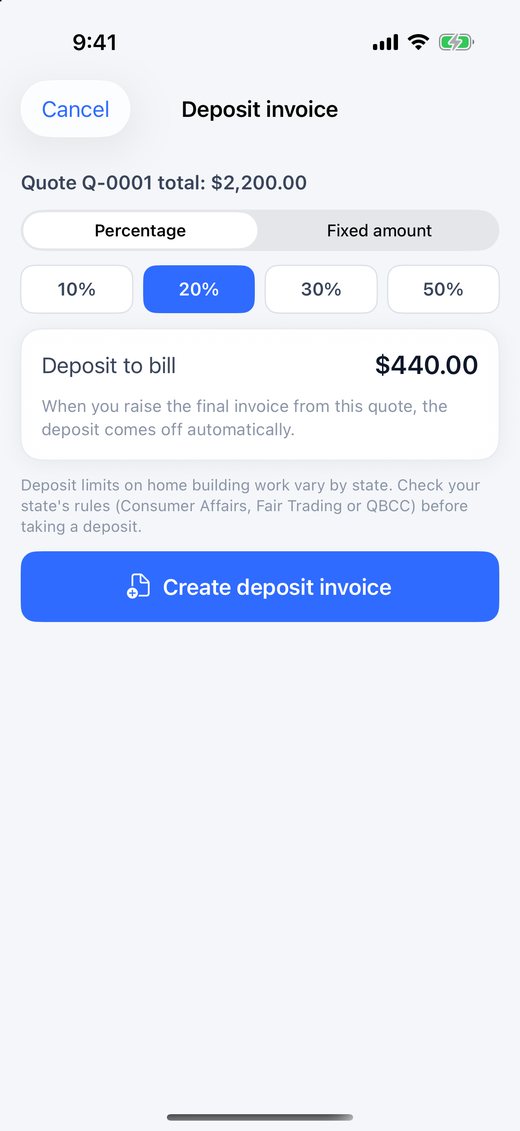
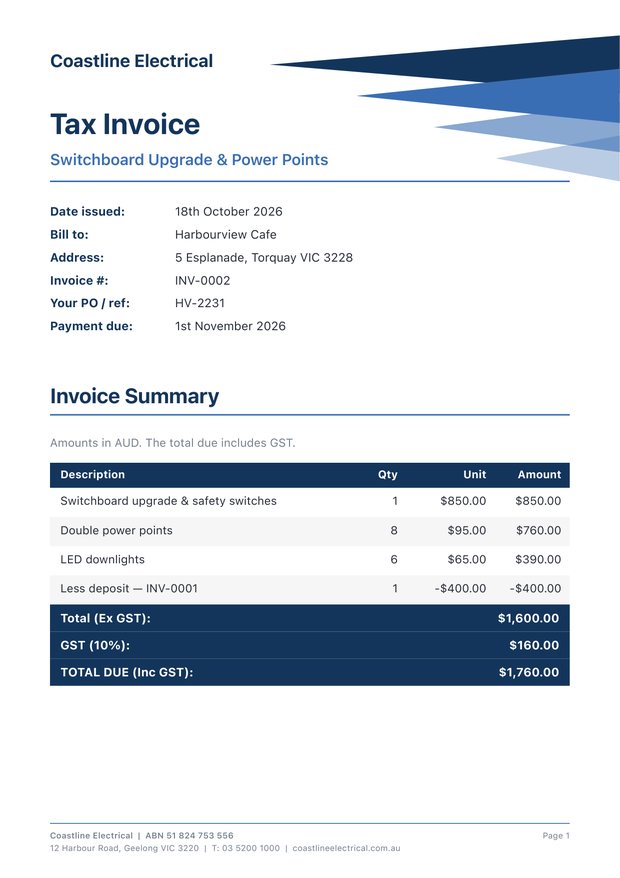
Turn a quote into an invoice in one tap, bill a deposit up front, and the final invoice deducts it automatically.

Follow-ups & reminders Next update

A nudge when a quote goes quiet or an invoice falls due, and one-tap follow-up and payment-reminder emails.

PayID & pay-online link Next update

PayID on your invoices, plus a tap-to-pay button for your own Stripe or Square link. The money goes straight to you.

Export for your accountant Next update

Spreadsheets of invoices, payments and expenses for any quarter or financial year — ready for BAS time.

Your own price list Next update

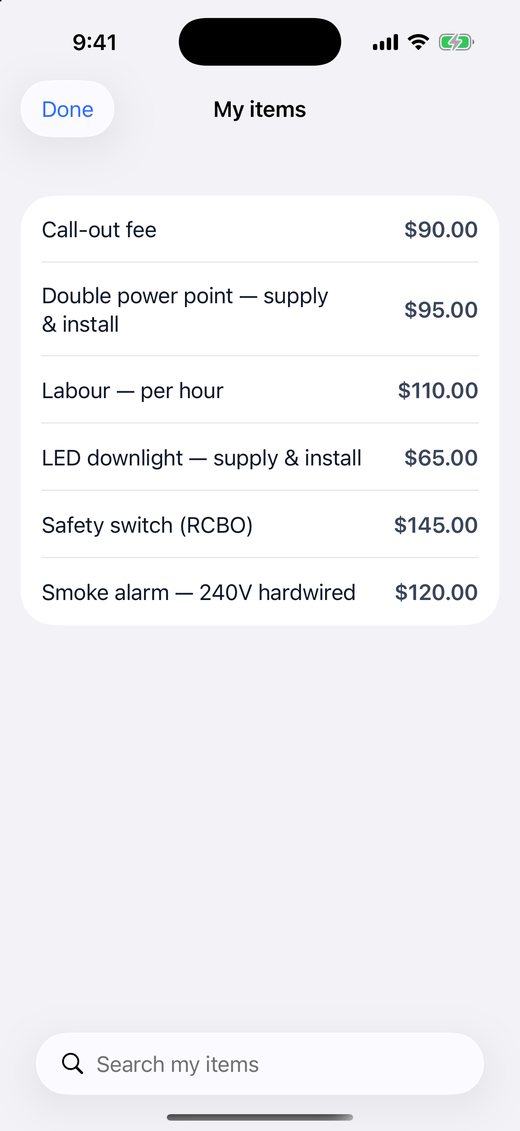
Save the parts and labour you quote all the time, then drop them into any quote with a tap.

Take a look

Clean, colourful and quick to use

Tap any screen to see it full size.

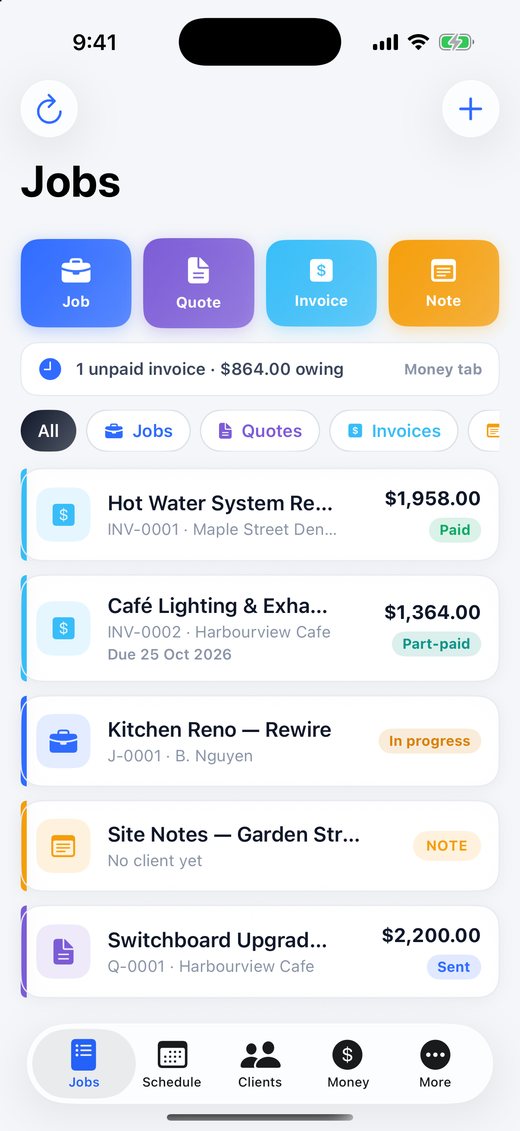
Jobs screen
JobsEverything on one page
Money tab
MoneyOwing, overdue, paid
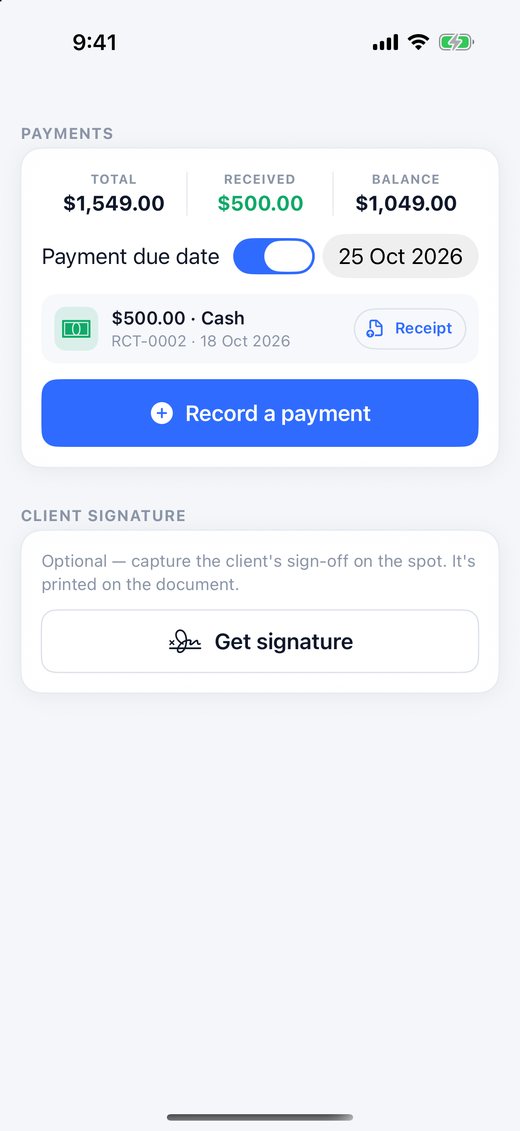
Payments on an invoice
PaymentsRecord & receipt
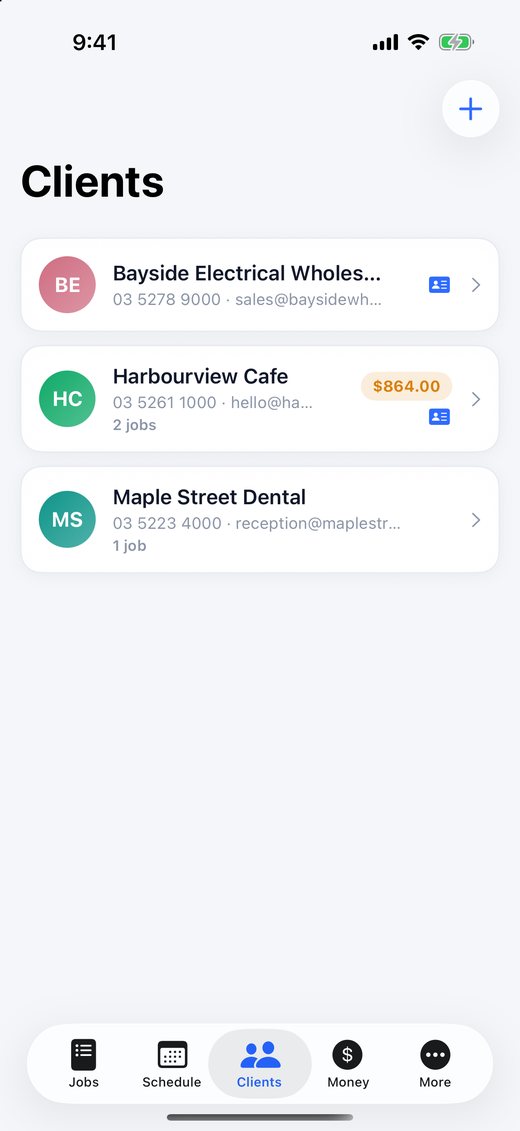
Clients
ClientsWho owes what
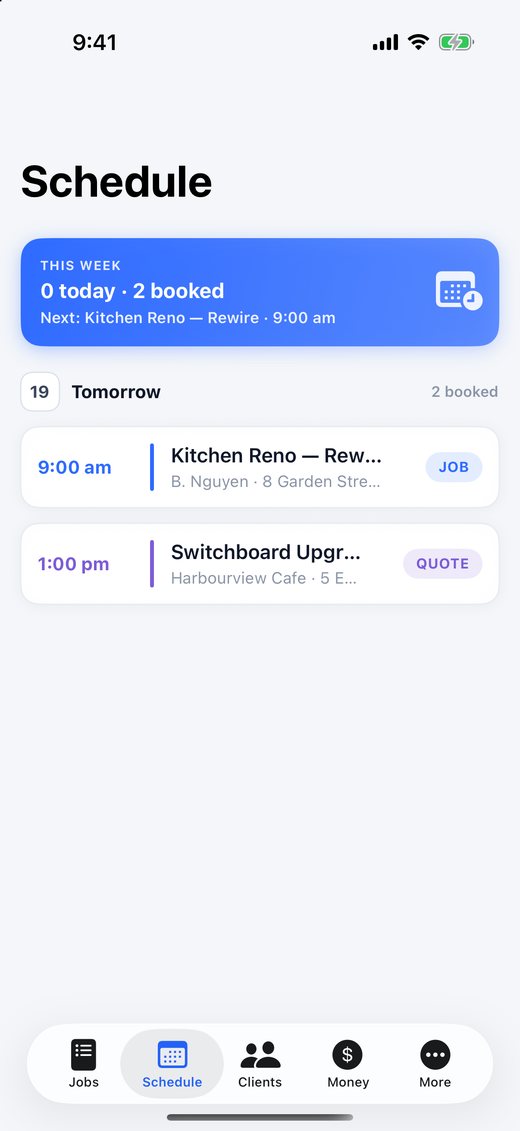
Schedule
ScheduleNever miss a job
Deposit invoice
DepositsNext update
My items price list
My itemsNext update
Digital business card
Business cardScan to save
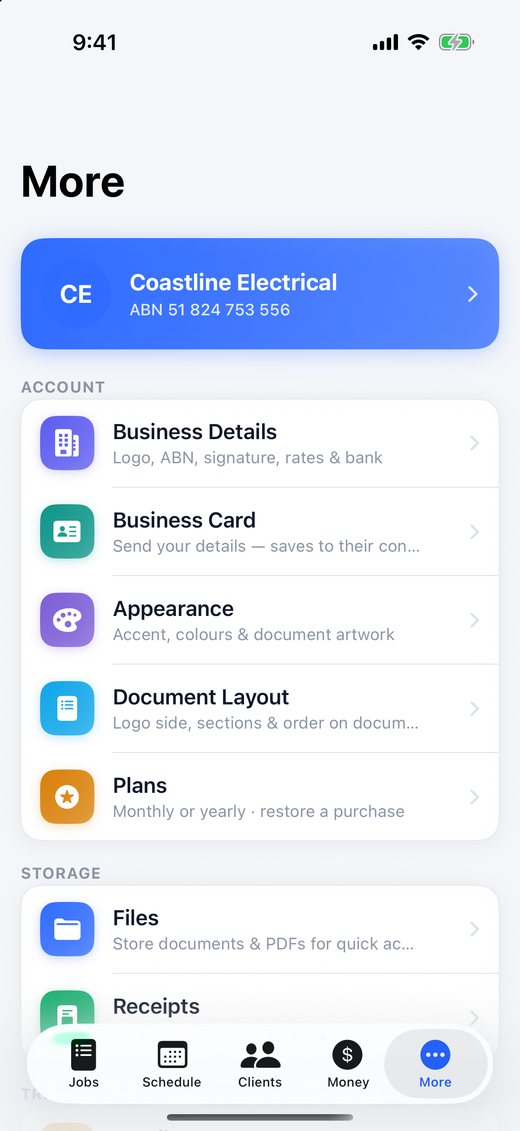
Settings
SettingsMake it yours
What your clients get

Documents that make you look the part

Your logo, your colours, GST shown correctly — sent as a PDF from your phone.

Tax invoice marked paid in fullTax invoicePaid in full — client signed
Payment receiptPayment receiptNumbered, with balance remaining
Final invoice with deposit deductedFinal invoiceDeposit deducted — next update

Your business stays yours

No logins to get locked out of. No servers holding your invoices hostage. No surprise invoice caps.

On your phone, not our servers

Everything is stored on your iPhone and iPad, backed up by your own iCloud. No account to create.

Works with no signal

Under the house, in a plant room or out bush — quote and invoice anywhere, it syncs later.

We never touch your money

Clients pay straight into your bank account. No payment holds, no frozen funds.

Pricing

Free to use. Pay only when you send.

Build every quote and invoice you like for free. Pick a plan when you're ready to send them to clients.

Free

$0
Download and use, forever
  • Unlimited quotes, invoices & notes
  • Clients, schedule, photos & receipts
  • Preview every document on screen
  • Free iPhone + iPad sync

Monthly

A$17.99 / month
Cancel anytime
  • Everything in Free
  • Email, share & export documents
  • Send payment receipts
  • Every update included

Yearly

A$199.99 / year
Less than 12 months of monthly
  • Everything in Monthly
  • One payment for the whole year
  • Cancel anytime

Prices in Australian dollars, including GST, charged through your Apple ID. Manage or cancel anytime in your iPhone's Settings → your name → Subscriptions.

FAQ

Questions tradies ask

Is it really free?

Yes. Download it and use it as long as you like: build every quote, invoice and note you want, keep clients, book jobs and capture receipts. You only need a plan (A$17.99 a month or A$199.99 a year) when you want to email, share or export your documents.

Does it do GST and ABN properly?

Yes. Tax invoices carry everything the ATO requires — the words Tax Invoice, your business name and ABN, the date, each item with quantity and price, the GST amount, and the customer's name on sales of $1,000 or more. Mark a line GST-free and it's shown separately. Not registered for GST? Switch it off and invoices go out as a plain Invoice with no GST.

Does it work without phone signal?

Yes. Everything is stored on your iPhone or iPad, so you can quote and invoice on site with no signal at all. There's no account to sign into.

Can I use it on my iPhone and my iPad?

Yes, and syncing between them is free — over iCloud anywhere, or over your own Wi-Fi. Pair the devices with a QR code.

Can my clients pay by card?

Clients pay you directly by bank transfer — your BSB and account are printed on every invoice. In the next update you can add your PayID and paste a payment link from your own Stripe or Square account for a tap-to-pay button. The money always goes straight to you.

Can I take a deposit?

In the next update: open a quote, tap the ••• button and create a deposit invoice for 10–50% or a set amount. When you raise the final invoice, the deposit comes off automatically. Deposit limits on home building work vary by state, so check your state's rules.

What trades is it for?

All of them — sparkies, plumbers, builders, chippies, painters, tilers, landscapers, air-con techs, handymen and anyone else who quotes and invoices for their work.

Does it connect to Xero?

Not yet. If Xero would make the difference for you, email us — we're gauging interest.

How do I get help?

Email austech.online.tech@gmail.com — you'll hear back from the person who builds the app.
Less paperwork. More time on the tools.

Free to download for iPhone and iPad.

Download free on the App Store